Spotify is a powerhouse in the music streaming world, offering a massive library of over 100 million tracks. However, the free version comes with significant limitations: ads interrupt your flow, skips are limited, and offline playback is entirely locked behind the Premium paywall. If you stop paying for Premium, your downloads vanish, and even as a paying user, your downloaded files are in a format that only works within the Spotify app.
But what if you want true ownership of your music? What if you want to listen to your favorite playlists anywhere, on any device, without worrying about internet access or a monthly subscription?
The solution lies in converting your Spotify tracks into standard, DRM-free audio files. ViWizard Spotify Music Converter is a professional tool designed to help you download Spotify songs and convert them to MP3, FLAC, WAV, and more, all without requiring a Premium account. Here is how it works and why it might be the answer to your music needs.
The Problem with Spotify’s DRM
Spotify uses Digital Rights Management (DRM) to protect its music. This means even when you download a song for offline listening, it is saved as a cache file in Spotify’s proprietary Ogg Vorbis format. You cannot play these files in iTunes, on an MP3 player, or use them for a video project. They are “rented,” not owned.
For free users, the situation is even more restrictive: offline downloading is simply not an option. ViWizard steps in to bypass this by acting as a converter that removes the DRM and saves the audio as a permanent, universally playable file.
What is ViWizard Spotify Music Converter?
ViWizard is a software application for Windows and Mac that allows you to download any Spotify content—songs, playlists, albums, and podcasts—to your computer. It works with both Spotify Free and Premium accounts. The software is designed for easy use, allowing you to drag and drop tracks directly from the Spotify app into the ViWizard interface to start the conversion process.
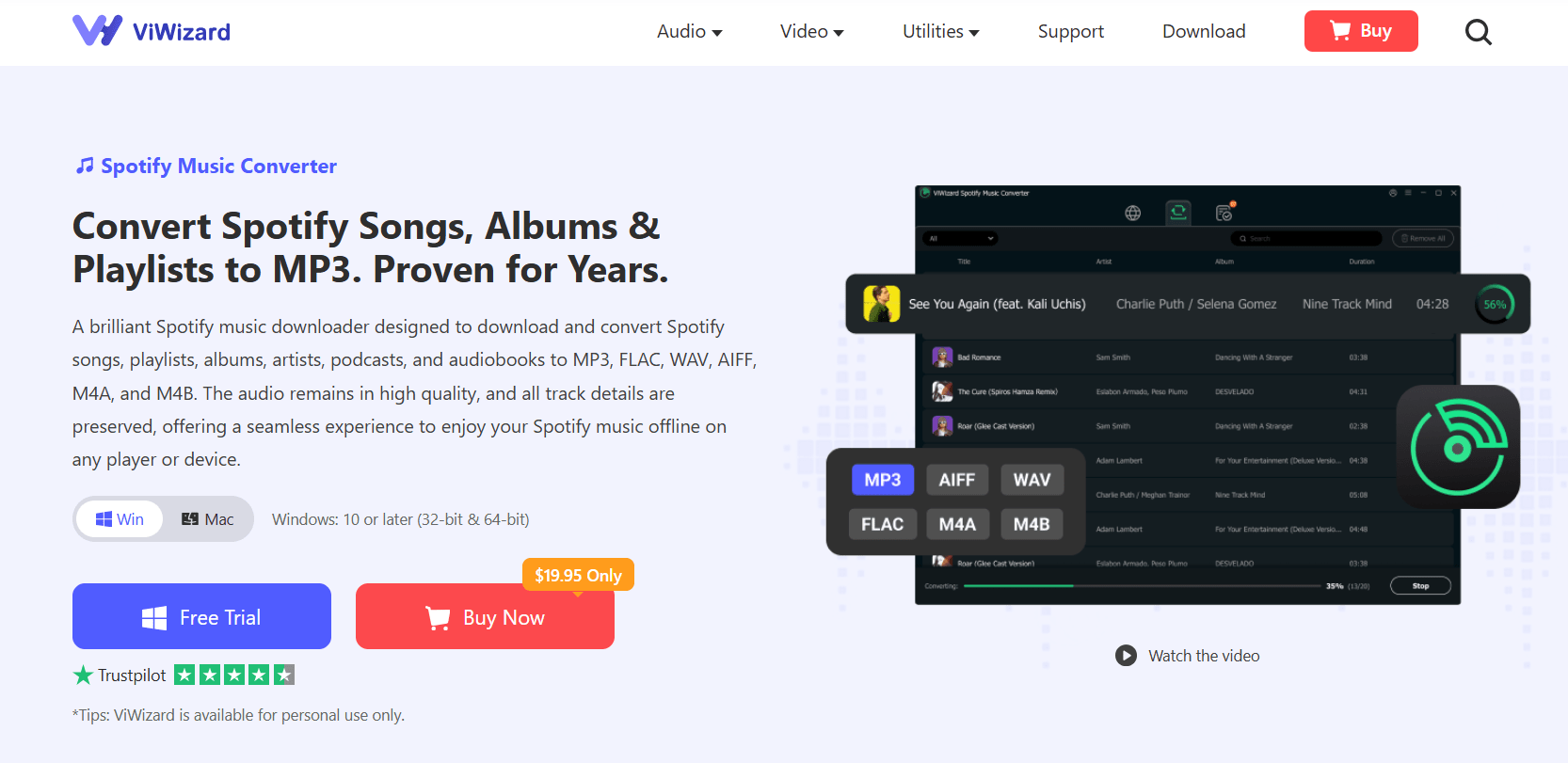
Key features include:
Format Support: Converts to MP3, M4A, WAV, FLAC, M4B, and AIFF, ensuring compatibility with virtually any device.
Quality Retention: Maintains the original audio quality, supporting bitrates up to 320kbps for a premium listening experience.
ID3 Tags: Preserves vital metadata like artist name, album, cover art, and track number so your music library stays organized.
Batch Conversion: Allows you to download entire playlists at once, saving time.
Step-by-Step Guide to Downloading Spotify Songs with ViWizard
Getting your music files via ViWizard Spotify Music Converter is a straightforward process:
Install and Launch: Download ViWizard from the official website and install it on your computer. Launch the software; it will automatically open the built-in Spotify web player.
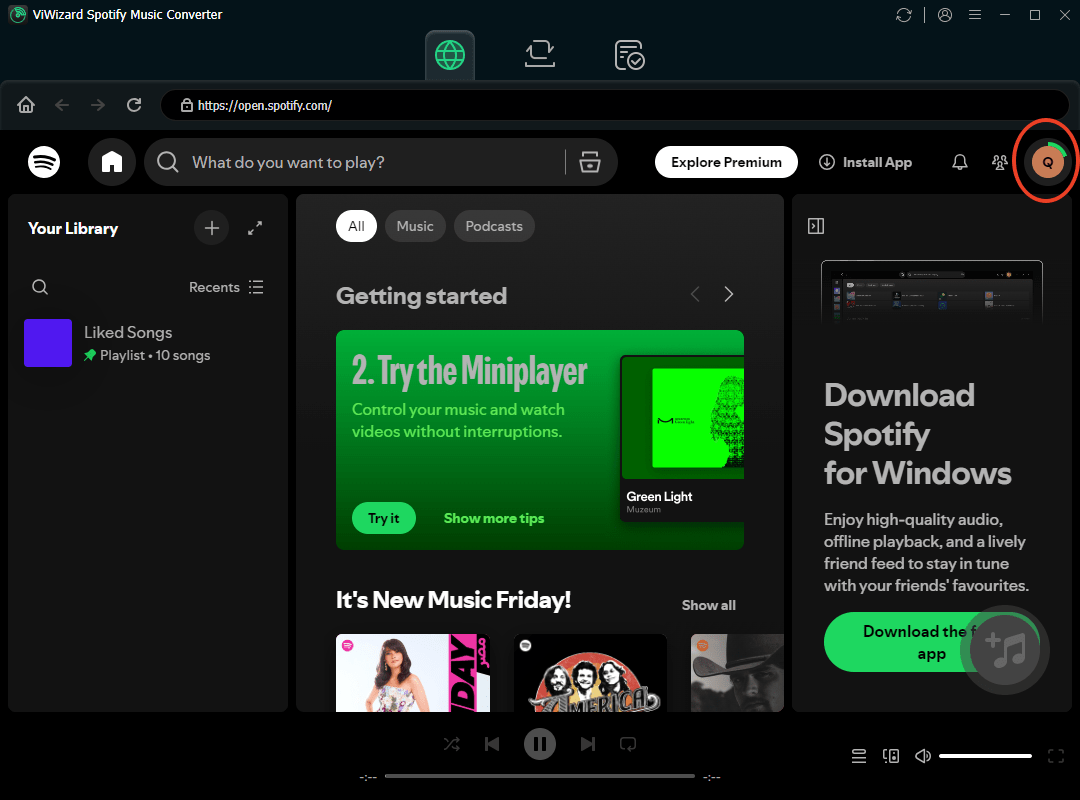
Add Your Music: Log in to your Spotify account. Browse your library, and simply drag and drop your chosen songs or playlists into the button + of ViWizard interface.
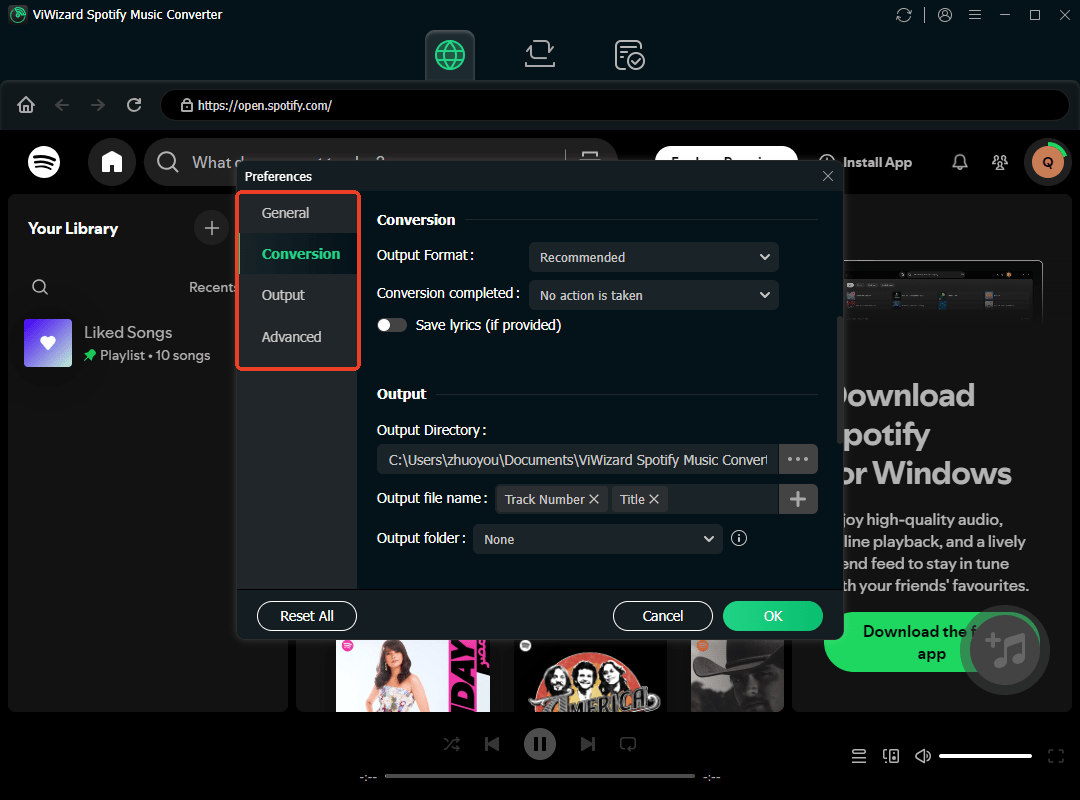
Adjust Settings: Click the menu icon and select “Preferences.” Choose your desired output format (MP3 is recommended for the best compatibility). Set the bitrate to 320kbps for the highest quality.
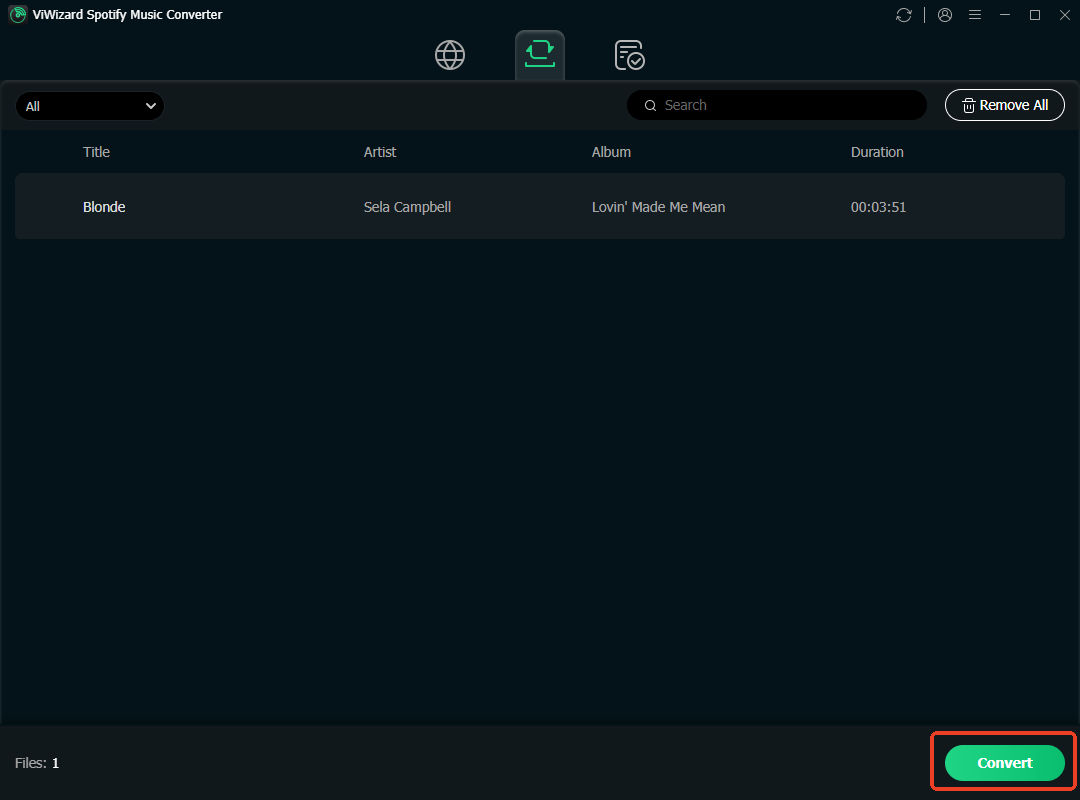
Convert: Click the “Convert” button. ViWizard will process the files and save them to your computer. You can then transfer these MP3 files to any device you own, from your phone to your car stereo.
Conclusion
ViWizard Spotify Music Converter provides a practical method to break free from the constraints of the Spotify app. It empowers users to build a permanent, portable music library that isn’t subject to subscription fees or internet connectivity. For those who value true ownership of their music files, ViWizard offers a compelling one-time purchase solution.