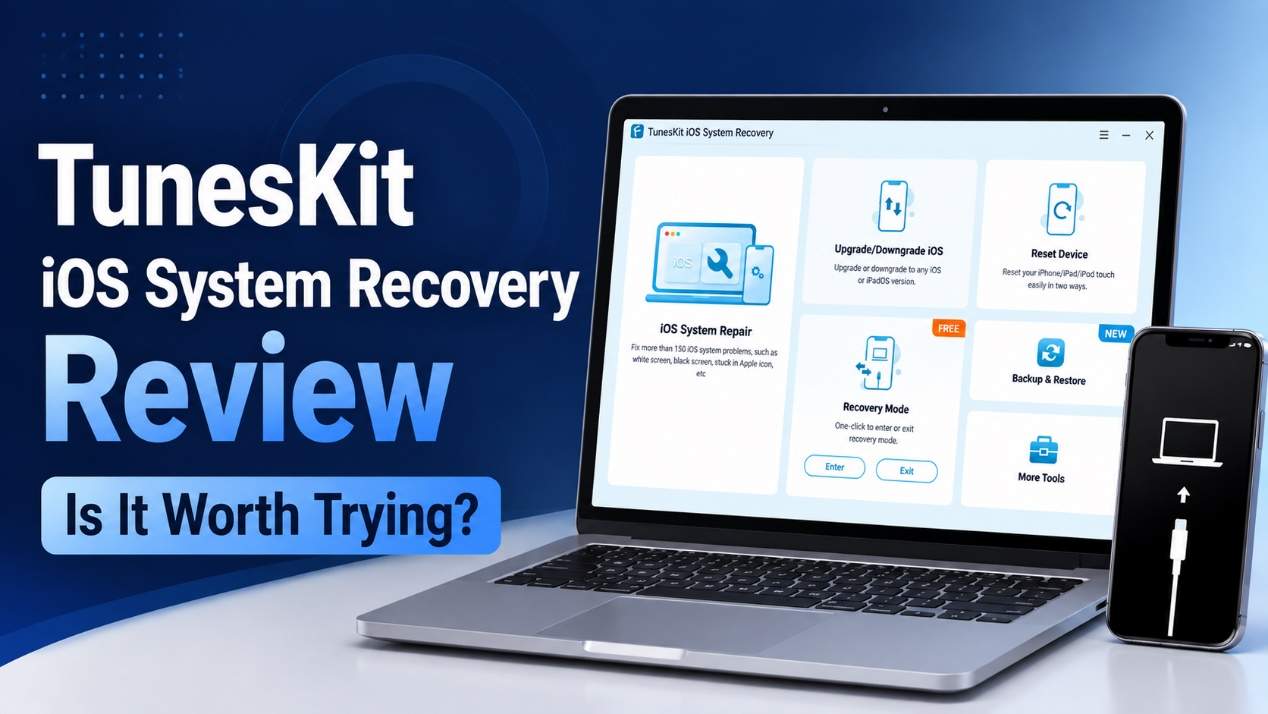
When an iPhone or iPad suddenly gets stuck on the Apple logo, enters recovery mode, or refuses to update, troubleshooting can quickly become frustrating. While Apple provides several official repair options, they may not always be effective or suitable for every situation.
In this TunesKit iOS System Recovery review, we’ll look at its features, supported issues, ease of use, pricing, and how it compares with Apple’s built-in solutions to see whether it is worth trying.
What Is TunesKit iOS System Recovery?
TunesKit iOS System Recovery is a PC-based tool designed to troubleshoot and repair various iOS and iPadOS system problems. It supports iPhone and iPad models and aims to fix common software-related issues without requiring advanced technical knowledge.
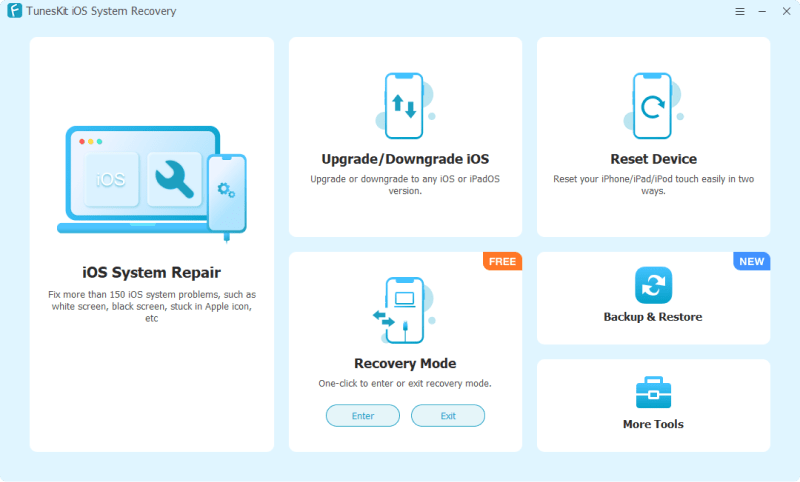
Its main advantage is that it combines several iOS management and repair functions in one application, including system repair, iOS upgrades and downgrades, recovery mode management, and device resetting.
Full Features of TunesKit iOS System Recovery
iOS System Repair
The core feature is iOS System Repair, which offers Standard Repair and Deep Repair modes. Standard Repair is designed to resolve common system issues while generally preserving user data. Deep Repair provides a more thorough repair for serious problems but may erase the device.
Upgrade/Downgrade iOS
TunesKit can also help users upgrade or downgrade iOS when compatible firmware is available. This can be useful when a new iOS version causes compatibility or performance issues.
Factory Reset
The Factory Reset feature lets users reset an iPhone or iPad when they need to wipe the device or troubleshoot a locked iPhone or iPad.
One-Click Enter or Exit Recovery Mode
Instead of manually following button combinations, users can enter or exit recovery mode with just one click, which is particularly useful when an iPhone stuck in recovery mode.
Backup & Restore
The software provides options for backing up and restoring iOS device data, making it easier to manage important information before performing certain repairs.
iTunes Repair
If iTunes is not working correctly or encounters common connection and update-related errors, TunesKit provides tools intended to repair certain iTunes issues.
Anti-Recovery Erasure
For users who need to permanently erase private information before selling or giving away a device, the Anti-Recovery Erasure feature is designed to make deleted data harder to recover.
What iPhone/iPad Issues Can TunesKit iOS System Recovery Fix?
TunesKit targets a wide range of software-related problems, including:
- iPhone stuck on Apple logo
- iPhone stuck in recovery mode
- iPhone black screen or won’t turn on
- iPhone disabled or frozen
- iOS update or restore errors
- iPhone boot loops
- iPad stuck during startup
- Various iOS system glitches
However, it is primarily a software repair tool. It cannot fix physical damage such as a broken screen, damaged charging port, or failed hardware component.
How to Use TunesKit iOS System Recovery to Fix iOS Issues?
The general repair process is straightforward:
Step 1: Install and launch TunesKit iOS System Recovery on a Windows or Mac PC. Connect your iPhone or iPad with a USB cable. In order to avoid losing important data, you can use its Backup & Restore feature to back up your data to the computer before repairing.
Step 2: Select iOS System Repair and choose Standard Repair first to fix your device without losing data.
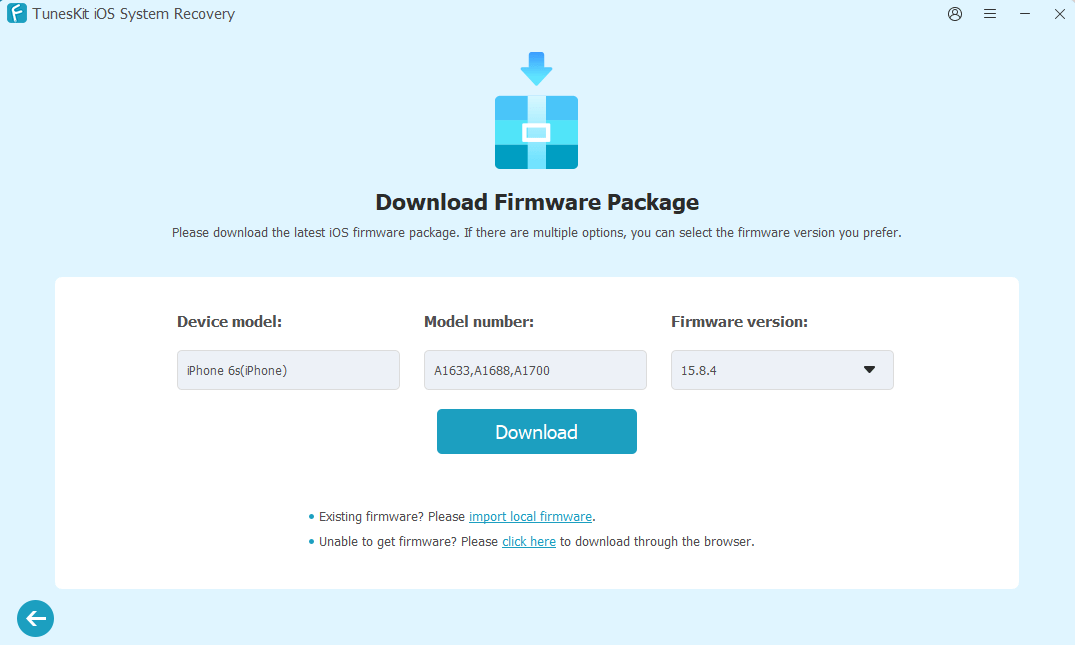
Step 3: Confirm your device information and download the appropriate firmware package.
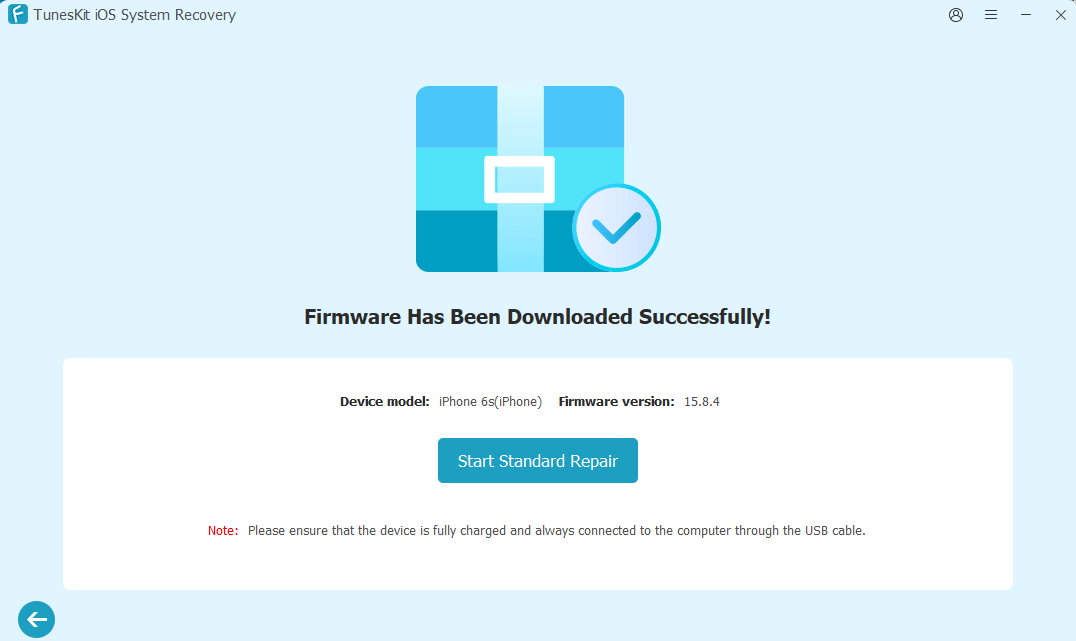
Step 4: Once the firmware is downloaded, click Start Standard Repair and wait for the process to finish. Keep the device connected until the repair is complete. If Standard Repair cannot fix the problem, switch to Deep Repair mode for a more complete repair.
Pros and Cons
Pros:
- Supports fixing a wide range of iOS and iPadOS issues
- Easy-to-follow and fast repair process
- Offers both Standard and Deep Repair modes
- Includes iOS upgrade and downgrade functions
- Provides one-click to enter and exit recovery mode for free
- Combines multiple tools in one program
- Compatible with most iPhone/iPad models and iOS versions
Cons:
- Some advanced features require a paid license
- Deep Repair may erase device data
- Firmware downloads and repairs can take some time
TunesKit iOS System Recovery Pricing
TunesKit offers different licensing options depending on subscription period:
1-Month License – $24.95
1-Year License – $49.95
Lifetime License – $79.95
All licenses support 5 iOS devices and 1 computer. TunesKit also provides a 30-day money-back guarantee, free software upgrades, and free technical customer support once you purchase a license.
TunesKit iOS System Recovery vs. Apple’s Official Repair Methods
Apple already provides options such as Finder, iTunes, Recovery Mode, and DFU Mode for troubleshooting iPhone and iPad software problems. These methods are free, but they can require more manual steps and may involve restoring or erasing the device.
TunesKit provides a more centralized interface and combines repair, recovery mode management, iOS version management, and other utilities in one application. For users who prefer a guided process, this can be more convenient.
Is TunesKit iOS System Recovery Worth Trying?
If your iPhone or iPad has a persistent software-related problem and Apple’s standard troubleshooting methods haven’t solved it, TunesKit iOS System Recovery is worth considering. Its biggest strength is convenience: instead of using several separate procedures, you can access multiple repair and management functions from one interface.
That said, users should choose the repair mode carefully and back up important data whenever possible, especially before using options that may erase the device.
Final Verdict
Overall, TunesKit iOS System Recovery is a practical option for users looking for an all-in-one solution for common iOS and iPadOS system problems. Its combination of system repair, recovery mode management, iOS upgrade/downgrade, backup and restore, and data erasure features makes it more versatile than a basic troubleshooting utility.
For minor issues, Apple’s free tools may be enough. But if you want a simpler, guided way to handle more complicated software problems, TunesKit iOS System Recovery is worth trying.