Struggling with Spotify’s offline limits? You are not alone. While Spotify is a fantastic platform for streaming, it comes with a catch: you don’t actually own the files.
If you stop paying for Premium, your music disappears. Moreover, even as a paying user, you cannot play your Spotify songs on an MP3 player, a car radio, or edit them for a video project. The only real solution is to convert Spotify to MP3.
In this guide, we will walk you through the safest, fastest, and most reliable method to strip the restrictions and download your favorite tracks using ViWizard Spotify Music Converter.
Why Do You Need to Convert Spotify to MP3?
Spotify tracks are encoded in Ogg Vorbis format with DRM (Digital Rights Management) protection. This code is designed to stop you from copying the files. Here is why millions of users are switching to MP3 backups:
True Offline Listening: Spotify Premium only lets you listen offline through the app. With MP3 files, you can play them on any device: an iPod, a Sony Walkman, a gaming console, or a USB stick in your car.
Permanent Ownership: Songs get removed from Spotify due to licensing issues constantly. By downloading them to MP3, you keep them forever, regardless of app updates or subscription status.
Creative Freedom: Want to use a Spotify song as background music for a video or a ringtone? You cannot do that with the streaming version. MP3 files give you the freedom to edit and reuse your music.
Meet ViWizard: Your All-in-One Spotify Downloader
ViWizard Spotify Music Converter is the industry-leading software designed specifically to bypass Spotify’s limitations. Unlike online converters that often break or offer terrible quality, ViWizard is a professional tool installed on your Windows or Mac.
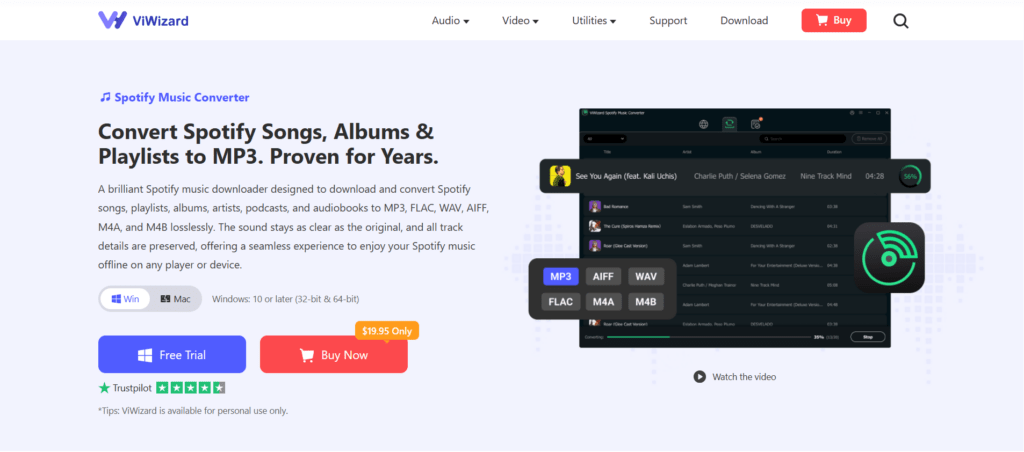
With ViWizard, you are not just “recording” your screen; you are downloading the actual audio streams and saving them as high-quality, DRM-free MP3 files.
Key Features of ViWizard Spotify Music Converter
- Lossless Quality: It preserves the original audio quality, supporting bitrates up to 320kbps.
- Blazing Fast Speed: Convert Spotify songs in batch at up to 15x faster speed .
- ID3 Tag Preservation: It saves all the metadata (Artist, Album, Cover Art) so your library stays organized.
- Wide Format Support: While we focus on MP3, it also supports M4A, WAV, FLAC, and more.
Step-by-Step Guide: How to Download Spotify Music to MP3
Ready to take control of your music library? Follow this simple 4-step guide to convert your playlists to universal MP3 format using ViWizard.
Step 1: Install and Launch ViWizard
First, download the software from the official ViWizard website. Install it on your Windows PC or Mac. Once launched, Spotify’s integrated web player will automatically open in ViWizard.
Step 2: Add Your Spotify Music
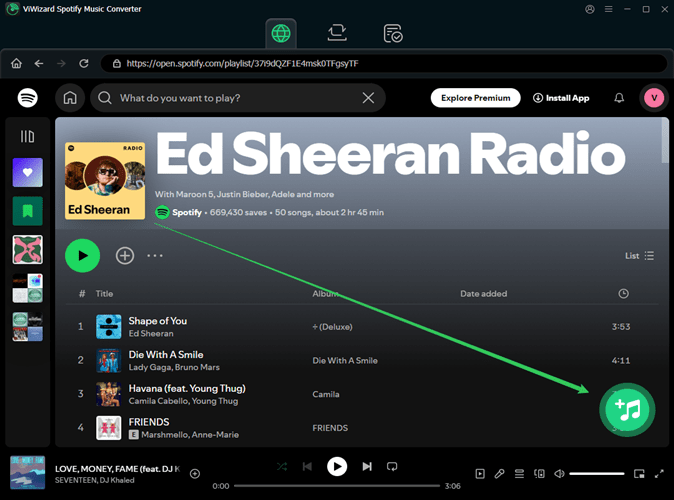
Log in your Spotify account and browse your Spotify library. You can convert specific songs, entire albums, or massive playlists.
Simply drag and drop the track or playlist from the Spotify interface directly into the ViWizard “+” icon (click the “+” icon).
Step 3: Set MP3 as the Output Format
Before hitting download, you need to customize the output settings.
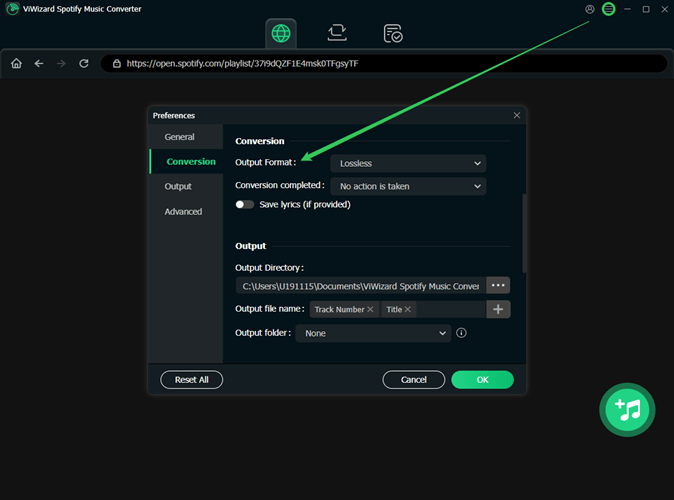
- Click the Menu icon (three lines) in the top-right corner and select “Preferences”.
- In the “Conversion”, select MP3 as output audio format.
- Pro Tip: Set the Bitrate to 320kbps to ensure you get the highest quality MP3 files possible.
Step 4: Download and Convert
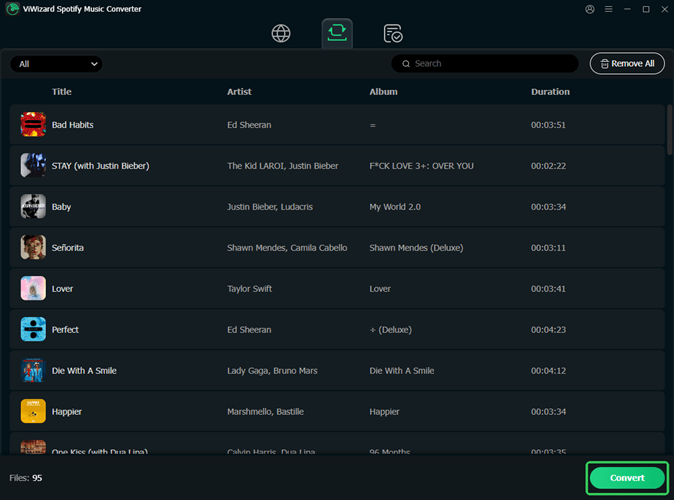
Click the giant “Convert” button at the bottom right. ViWizard will immediately start processing your files. Thanks to its batch processing capability, you can go grab a coffee while it converts 100+ songs at high speed.
Once done, click the “History” or “Find Target” folder to locate your shiny new MP3 files. That’s it! You can now copy them to any device you own.
The Final Verdict
Using online rippers is risky—they often come with malware, poor audio quality, and slow speeds. ViWizard Spotify Music Converter offers a safe, clean, and efficient desktop environment.
If you are tired of losing access to your favorite songs when the Wi-Fi drops or when your Premium plan expires, download ViWizard today. Turn your Spotify playlists into an eternal MP3 collection that you truly own.